
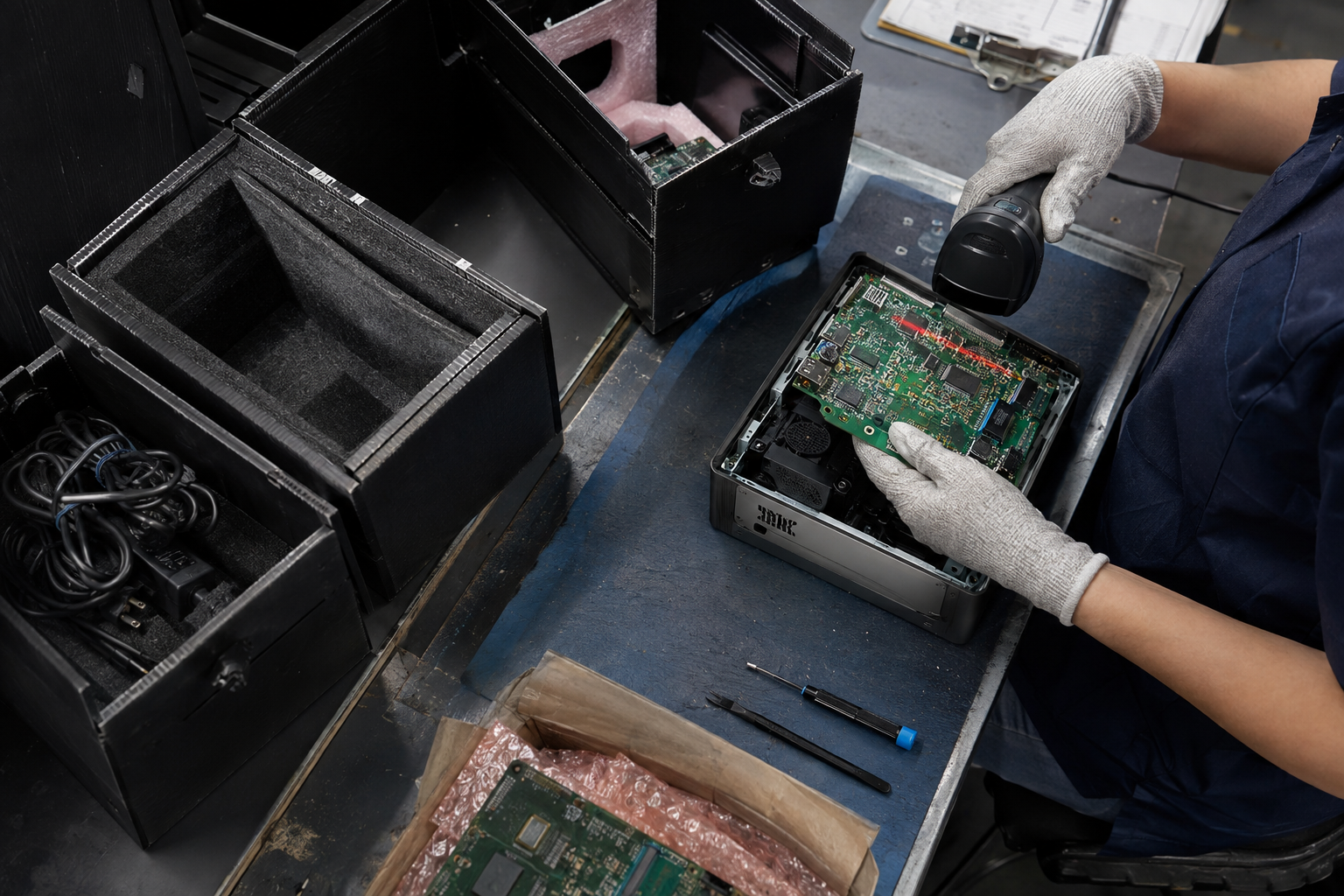
Electronics recycling is the process of collecting, sorting, dismantling, and processing old or unwanted electronic equipment so its components and materials can be properly handled.
Computers, televisions, phones, servers, printers, appliances, networking equipment, and other electronics contain a combination of metals, plastics, glass, circuit boards, batteries, wiring, and other components. Instead of sending this equipment directly to a landfill, electronics recycling provides a way to recover usable materials while properly managing components that require special handling.
Electronics recycling is commonly used by households, businesses, schools, healthcare facilities, government agencies, data centers, manufacturers, and other organizations that regularly replace electronic equipment.
What Does Electronics Recycling Mean?
Electronics recycling, sometimes called e-waste recycling, refers to the process used to manage electronics that are no longer being used.
Electronic waste can include equipment that is:
- Broken
- Outdated
- Damaged
- No longer supported
- Replaced during an upgrade
- Stored but no longer needed
- Being removed during an office or facility cleanout
Recycling does not necessarily mean every device is immediately shredded or broken apart. Electronics may first be evaluated, sorted, separated, and prepared for the appropriate next step.
What Types of Electronics Can Be Recycled?
A wide range of electronic equipment can enter an electronics recycling program.
Computers and IT Equipment
Common computer and IT equipment includes:
- Desktop computers
- Laptops
- Computer monitors
- Servers
- Storage arrays
- Hard drives
- Solid-state drives
- Workstations
- Computer accessories
- Docking stations
Businesses and organizations may generate especially large quantities of IT equipment when replacing systems or upgrading infrastructure.
Networking and Data Center Equipment
Data centers, server rooms, and IT departments may also need to recycle equipment such as:
- Network switches
- Routers
- Firewalls
- Server racks
- Power distribution units
- Uninterruptible power supplies
- Backup systems
- Network appliances
- Cabling
- Telecommunications equipment
Large technology upgrades can result in hundreds or even thousands of individual pieces of equipment requiring removal.
Office Electronics
Offices frequently generate electronic waste when equipment is replaced or locations are renovated.
Examples include:
- Printers
- Copiers
- Scanners
- Fax machines
- Phones
- Conference room equipment
- Projectors
- Point-of-sale systems
- Shredders
- Security equipment
Consumer Electronics
Many common household electronics can also be recycled.
These may include:
- Televisions
- Tablets
- Smartphones
- Gaming consoles
- Audio equipment
- Cameras
- Smartwatches
- E-readers
- Speakers
- Small electronic devices
Appliances and Other Electronic Equipment
Some recycling programs also handle electronic or electrically powered equipment such as:
- Microwaves
- Air conditioners
- Dehumidifiers
- Air purifiers
- Washing machines
- Dryers
- Refrigerators
- Medical equipment
- Laboratory equipment
- Industrial electronics
Certain appliances may contain refrigerants, batteries, oils, or other components that require additional processing before the remaining equipment can be recycled.
How Does Electronics Recycling Work?
The exact recycling process depends on the equipment, its condition, and the recycling facility handling it.
However, electronics generally move through several common stages.
1. Collection
The equipment must first be collected.
Depending on the quantity and situation, electronics may be handled through:
- Recycling drop-off locations
- Scheduled pickups
- Collection events
- On-site equipment removals
- Recycling containers
- Large facility cleanouts
Businesses replacing large amounts of equipment may use pallets, containers, or scheduled truck pickups instead of transporting individual devices.
2. Sorting
Once collected, electronics are typically sorted by equipment type.
For example, computers may be separated from monitors, printers, batteries, televisions, appliances, and networking equipment.
Sorting makes it easier to determine how different devices and components should be handled.
3. Data-Bearing Devices Are Identified
Electronics recycling can involve more than physical equipment.
Computers, servers, phones, tablets, storage systems, and other devices may contain:
- Hard drives
- SSDs
- Flash storage
- Memory cards
- Other data-bearing media
Organizations should determine how stored data will be handled before equipment leaves their control.
Depending on the situation, data-bearing devices may require data erasure, physical destruction, removal, or another approved data-management process.
4. Equipment Is Dismantled
Electronics may then be dismantled so different components can be separated.
Components can include:
- Circuit boards
- Power supplies
- Wiring
- Batteries
- Hard drives
- Displays
- Motors
- Plastic housings
- Metal frames
- Fans
- Connectors
Some equipment can be dismantled manually, while other material may move through mechanical processing systems.
5. Materials Are Separated
After dismantling or processing, different material streams can be separated.
Electronics commonly contain materials such as:
- Steel
- Aluminum
- Copper
- Plastics
- Glass
- Circuit boards
- Wiring
- Various metals
Separation allows these materials to move into appropriate downstream recycling processes.
6. Materials Are Processed
The separated materials can then be prepared for reuse in manufacturing and other industrial applications.
The exact destination depends on the material, equipment type, and processing method being used.
Why Is Electronics Recycling Important?
Electronics contain a complicated mix of materials.
Throwing an entire computer, television, server, printer, or appliance into the trash means all of those materials are discarded together.
Recycling allows electronic equipment to be broken into separate material streams while helping ensure components requiring special handling are managed appropriately.
Electronics Recycling Helps Recover Materials
Electronic devices contain significant amounts of metal, plastic, glass, wiring, and other materials.
A desktop computer, for example, can contain:
- Steel casing
- Aluminum components
- Copper wiring
- Plastic housings
- Circuit boards
- Electronic connectors
- Power supply components
Separating these materials gives them the opportunity to reenter manufacturing and recycling supply chains instead of being discarded as mixed waste.
Electronics Can Contain Materials That Require Special Handling
Not every component inside an electronic device should be treated like ordinary household trash.
Depending on the equipment, electronics may contain:
- Lithium-ion batteries
- Lead-acid batteries
- Mercury-containing components
- Refrigerants
- Circuit boards
- Capacitors
- Oils
- Data-bearing storage devices
Different equipment therefore requires different preparation and processing methods.
Electronics Recycling Can Help Businesses Manage Equipment Upgrades
Businesses often generate electronic waste in large batches rather than one device at a time.
A company moving offices might replace dozens of computers and monitors. A data center upgrade could remove hundreds of servers, drives, switches, and power systems. A retailer may replace point-of-sale systems across multiple locations.
A structured electronics recycling program can help organizations manage these projects without treating every device as a separate disposal problem.
What Happens to Data During Electronics Recycling?
Data security should be considered whenever electronics contain storage media.
Deleting files or performing a standard factory reset may not always satisfy an organization’s data-security requirements.
Before recycling equipment, determine whether devices contain:
- Customer information
- Employee information
- Financial records
- Medical information
- Business documents
- Login credentials
- Proprietary files
- Backup data
Organizations should establish clear requirements for how storage media will be erased, destroyed, or otherwise managed.
Should You Remove Hard Drives Before Recycling Computers?
Not necessarily.
Whether drives should be removed depends on the recycling process and the organization’s data-security requirements.
Some organizations remove drives internally before equipment is released. Others include the drives with the equipment and use a defined data-destruction process.
The important step is knowing how the data will be handled before the equipment changes hands.
Can Electronics Be Reused Instead of Recycled?
Sometimes.
Equipment that still functions may be evaluated for continued use, refurbishment, parts recovery, or another secondary use.
However, reuse may not make sense when equipment is:
- Severely damaged
- Extremely outdated
- Missing important components
- No longer supported
- Unsafe to operate
- Too expensive to repair
- Unable to meet current technical requirements
When reuse is not practical, recycling provides another option for managing the equipment and its materials.
How Should Electronics Be Prepared for Recycling?
Preparation depends on the type and quantity of equipment.
Back Up Important Information
Before recycling computers, phones, servers, or storage equipment, make sure any information that still needs to be retained has been backed up.
Once equipment enters the recycling or destruction process, recovering that information may no longer be possible.
Remove Personal Items
Check equipment for:
- USB drives
- CDs or DVDs
- Memory cards
- Paper documents
- Keys
- Security tokens
- Accessories that are still needed
These small items are easy to overlook during a large cleanout.
Identify Batteries
Loose batteries should generally be identified and separated from other electronic equipment.
Lithium batteries in particular may require specific packaging, transportation, and handling procedures.
Keep Equipment Organized
For large recycling projects, separating equipment by type can make collection easier.
For example:
- Computers
- Monitors
- Printers
- Servers
- Batteries
- Networking equipment
- Loose drives
- Cables
Clear organization also makes it easier to inventory equipment before it leaves a facility.
How Do Businesses Recycle Electronics in Bulk?
Organizations producing large amounts of electronic waste usually need a different solution than someone recycling a single laptop.
Bulk electronics recycling may involve:
Scheduled Pickups
Electronics can be collected from an office, warehouse, school, retail location, healthcare facility, data center, or other property.
Recycling Containers
Organizations that generate electronics regularly may use dedicated containers for ongoing collection.
This can be useful for facilities that replace equipment throughout the year rather than during a single cleanout.
Palletized Equipment
Computers, servers, printers, monitors, and other electronics may be organized on pallets before collection.
Multi-Location Projects
Businesses with multiple offices or facilities may coordinate recycling across several locations as part of a larger equipment replacement program.
What Is Considered E-Waste?
E-waste is a broad term describing electronic and electrical equipment that has reached the end of its current use.
Examples can include everything from a small smartphone to an entire server rack.
Common e-waste categories include:
- Computers
- Displays
- Telecommunications equipment
- Consumer electronics
- Office electronics
- Appliances
- Batteries
- Medical electronics
- Industrial electronics
- Data center equipment
The definition may vary depending on local laws and recycling programs.
Is Electronics Recycling the Same as Computer Recycling?
Computer recycling is one part of electronics recycling.
Electronics recycling covers a much broader range of equipment, while computer recycling specifically focuses on devices such as desktops, laptops, workstations, servers, and related computer hardware.
A large electronics recycling project may include computers along with televisions, printers, network equipment, appliances, batteries, and many other types of electronic devices.
When Should Electronics Be Recycled?
Electronics may be ready for recycling when they are:
- No longer working
- Too expensive to repair
- No longer supported
- Being replaced during an upgrade
- Unable to run required software
- Taking up unnecessary storage space
- Damaged beyond practical repair
- No longer needed by the organization
Businesses should avoid allowing unused electronics to accumulate indefinitely. Old equipment can quickly take up warehouse, storage room, and office space while also creating additional inventory and data-management concerns.
Electronics Recycling as Part of Equipment Management
Electronics recycling is ultimately one part of managing the full life cycle of electronic equipment.
Organizations purchase equipment, use it, maintain it, upgrade it, replace it, and eventually need to decide what happens next.
Creating a plan before equipment reaches the end of its useful life can make that final step much easier.
A well-organized electronics recycling process can help separate equipment for reuse, manage data-bearing devices, identify components requiring special handling, and route remaining materials into appropriate recycling streams.
Instead of viewing obsolete electronics as ordinary trash, electronics recycling treats them as a combination of components and materials that need to be handled separately and responsibly.